Microsoft Project Training

Turn Your Project Plan into a Schedule You Can Actually Control

A practical, instructor-led Microsoft Project programme that helps you plan activities, manage dependencies and resources, track progress, identify delays and communicate project performance confidently.

Practical training for project professionals working in government, NGOs, healthcare, development organisations and the private sector.
Duration
Three days
Delivery
Live instructor-led
Format
Virtual and in-person options
Level
Beginner to intermediate
Next cohort
Date to be announced
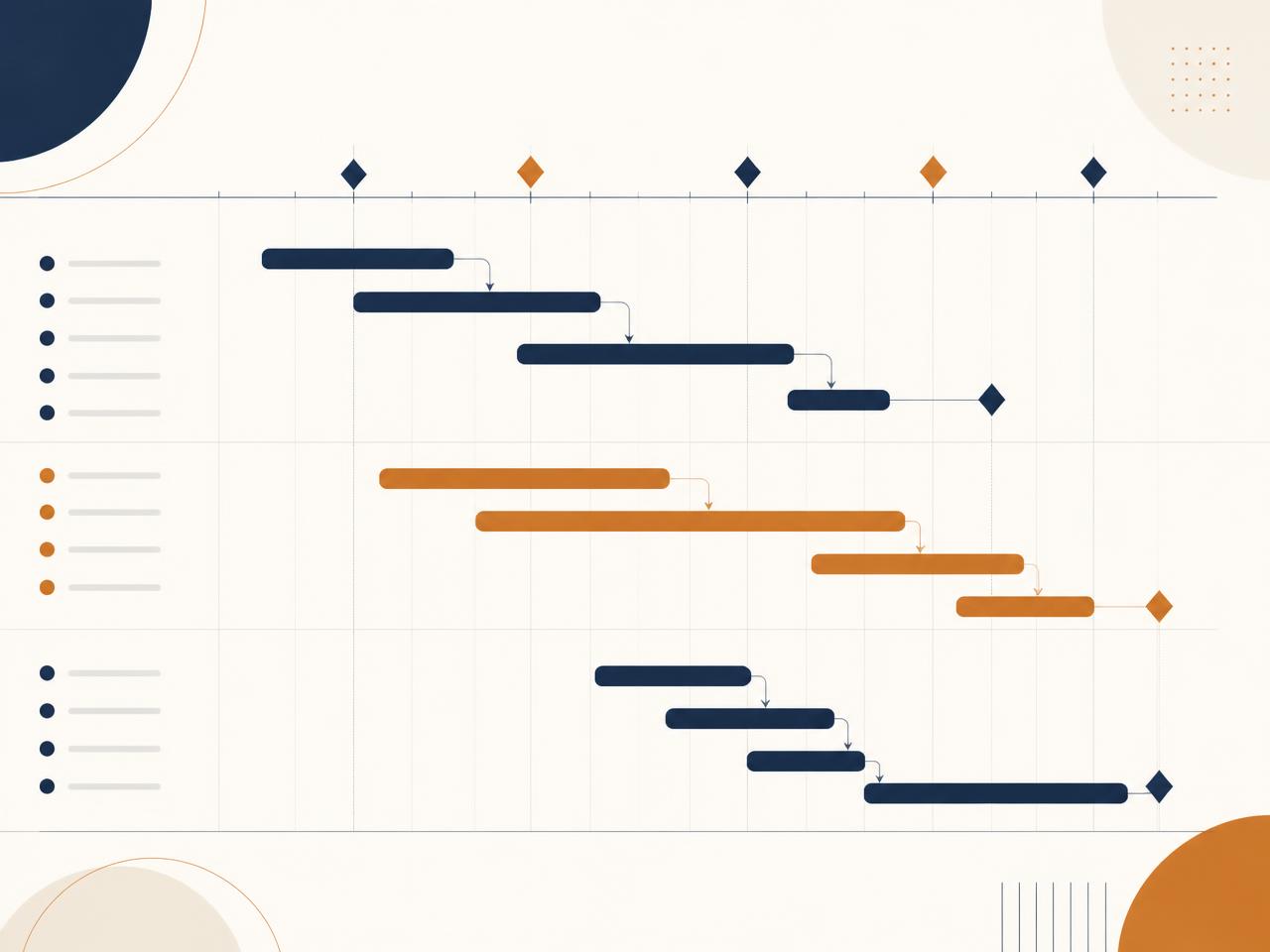
Illustration of a project schedule showing linked task bars, dependencies and milestones on a timeline

Launch cohort fee

KSh 24,500 per participant

Introductory fee for the first ALPM Microsoft Project cohort. Standard programme fee: KSh 29,500.

Reserve your place with a KSh 10,000 booking deposit. The balance is payable before the programme begins.

The gap

Move Beyond Disconnected Excel Workplans

Many professionals are responsible for delivering complex projects but still rely on static spreadsheets, manually updated workplans and reports that do not clearly show dependencies, resource conflicts or the effect of delays.

Others have completed formal project-management training but have never had the opportunity to build and manage a complete schedule using a professional scheduling tool.

This programme closes that gap. Participants learn Microsoft Project by developing, baselining, updating and analysing a realistic project from beginning to end.

  • Activities are listed, but their relationships are unclear
  • Delays are discovered too late
  • Project deadlines are difficult to forecast
  • Resources are overallocated without being noticed
  • Progress reports do not show the real schedule position
  • Teams struggle to explain the effect of project changes
  • Project plans are created but not actively used to control delivery

The shift

From a List of Activities to a Controllable Project Schedule

Before the programme

  • Static Excel workplans
  • Unclear task dependencies
  • Manual progress reporting
  • Limited visibility of delays
  • Unnoticed resource conflicts
  • Plans that are rarely updated

After the programme

  • A structured work breakdown
  • Logical task relationships
  • A visible and explainable critical path
  • Baseline and variance tracking
  • Resource and cost visibility
  • Clear management reports
  • A schedule that supports real decisions

Who it is for

Designed for Professionals Responsible for Delivering Results

  • Project managers and coordinators
  • Programme officers
  • Monitoring and evaluation professionals
  • NGO and development-sector teams
  • Government project teams
  • Healthcare project professionals
  • ICT teams and implementation specialists
  • Engineers and technical project teams
  • PMP-certified professionals seeking practical application skills
  • Professionals currently planning projects using Excel

No previous Microsoft Project experience is required. Basic knowledge of project-management concepts is helpful but not mandatory.

Learning outcomes

What You Will Be Able to Do

After completing the programme, participants should be able to:

  • Configure a new project and its working calendar
  • Develop a clear work breakdown structure
  • Enter tasks, durations and milestones correctly
  • Create finish-to-start, start-to-start and finish-to-finish relationships
  • Apply leads and lags appropriately
  • Identify and explain the critical path
  • Assign resources and review resource workloads
  • Identify and resolve resource overallocations
  • Estimate and track project costs
  • Set and protect a project baseline
  • Record actual progress
  • Analyse schedule and cost variance
  • Identify the effect of project delays
  • Evaluate practical schedule-recovery options
  • Create useful management views and reports
  • Maintain and communicate a credible project schedule

Programme structure

A Practical Three-Day Learning Journey

1

Day 1

Build the Schedule

  • Navigating Microsoft Project
  • Configuring project settings and calendars
  • Developing a work breakdown structure
  • Creating tasks, summary tasks and milestones
  • Setting realistic durations
  • Creating task dependencies
  • Applying leads and lags
  • Understanding constraints and deadlines
  • Identifying the critical path
2

Day 2

Plan Resources and Costs

  • Creating the resource sheet
  • Assigning people, equipment and materials
  • Understanding resource workloads
  • Identifying resource overallocations
  • Resolving resource conflicts
  • Entering rates and fixed costs
  • Reviewing the project budget
  • Optimising the schedule
3

Day 3

Baseline, Track and Report

  • Setting and protecting the baseline
  • Updating actual project progress
  • Reviewing schedule variance
  • Analysing delayed activities
  • Exploring schedule-recovery options
  • Creating useful views and reports
  • Communicating project status clearly
  • Maintaining the schedule after training

This is not a software demonstration. Participants build, baseline, update and analyse a complete project schedule throughout the programme.

Practical case study

Learn Through a Realistic Project

Participants work through the AfyaReach Community Health Access Project — a realistic public-health and development-sector case study involving multiple stakeholders, fixed deadlines, approvals, procurement, field activities, resource constraints and donor-reporting requirements.

During the programme, participants progressively transform the case study into a complete Microsoft Project schedule.

30

detailed work packages

70+

realistic project activities

4

task-relationship types

Leads & lags

applied throughout the schedule

Milestones

approval and completion points

Resources

people, equipment, materials and costs

Recurring

activities such as reporting cycles

Baseline

progress and variance challenges

The case study makes the programme especially relevant to professionals working in NGOs, healthcare, government and development programmes. However, the scheduling principles are transferable to projects in any sector.

What you receive

More Than Classroom Training

  • Three days of live instructor-led training
  • Comprehensive participant workbook
  • AfyaReach project case study
  • Microsoft Project practice files
  • Project-planning templates
  • Guided exercises and participant challenges
  • Practical schedule-review checklist
  • Certificate of completion
  • Post-training implementation clinic
  • Limited follow-up support
Launch cohort fee
KSh 24,500
Standard fee
KSh 29,500
Booking deposit
KSh 10,000

Delivery options

Choose the Right Format

Option 1

Open Cohort

For individual professionals who want practical Microsoft Project capability.

  • Three days of live instructor-led learning
  • Guided practical exercises
  • Complete project case study
  • Participant workbook and practice files
  • Certificate of completion
  • Post-training implementation clinic
  • Limited follow-up support

KSh 24,500 per participant

Launch cohort fee · Standard fee KSh 29,500 · Reserve with KSh 10,000

Option 2

Corporate Programme

For organisations seeking to strengthen project planning, scheduling, tracking and reporting across their teams.

  • Pre-training needs assessment
  • Customised examples and exercises
  • Virtual or in-person delivery
  • Application to an organisational project
  • Optional schedule-development support
  • Post-training adoption review

From KSh 300,000

The final fee depends on the number of participants, delivery format, location, level of customisation and required post-training support.

Facilitator

Learn from a Practitioner

Angela Lung'aho

Founder & Lead Consultant

  • PMP®
  • PMI-ACP®
PMI Authorized Training Partner Instructor — PMI-ACP®

Angela Lung'aho is a project-management and digital-transformation practitioner with extensive experience leading complex technology, process-improvement and organisational-change initiatives.

She holds the PMP® and PMI-ACP® credentials and has practical experience in project governance, stakeholder management, risk management, business-process improvement, digital transformation and implementation support.

Her training approach connects project-management principles with the realities professionals encounter when planning, reporting and delivering actual projects.

My goal is not simply to show participants where to click. It is to help them understand the schedule, make informed decisions and communicate project performance confidently.

More about ALPM Consulting on the About page, our training programmes and consulting services.

Ready to Take Control of Your Project Schedule?

Reserve your place in the next open cohort or talk to ALPM Consulting about a customised Microsoft Project programme for your organisation.

Launch cohort fee

KSh 24,500

Reserve with

KSh 10,000

Open cohort registration

Reserve My Place

Register your interest in the next open cohort. No payment is collected on this form — cohort dates and booking-deposit instructions are confirmed by email.

No payment is taken on this form. Booking deposit instructions are shared once the cohort date is confirmed.

Corporate enquiry

Request Corporate Training

Tell us about your organisation, teams and projects. We will prepare a customised Microsoft Project programme and proposal.

Before you register

Important Information

  • Participants require access to a suitable laptop.
  • Microsoft Project must be installed before the programme begins.
  • The programme fee does not include a Microsoft Project licence.
  • ALPM Consulting will provide pre-training installation guidance.
  • The public cohort will be confirmed when the minimum required number of participants is reached.
  • The KSh 10,000 booking deposit reserves a place once the cohort has been confirmed.
  • The remaining balance is payable before the programme begins.
  • In-person venue, travel and accommodation costs may be quoted separately.
  • Applicable taxes will be included where required.
  • Corporate proposals are customised according to the client's requirements.

FAQ

Questions Professionals Ask

Still deciding? Talk to ALPM Consulting

Cohort dates will be announced on this page once confirmed.